Quarto
Quarto is an authoring system that lets you define document content in one place.
In practice, you create a .qmd (or .ipynb) file that combines Markdown and code cells (R, Python, Julia, or Observable).
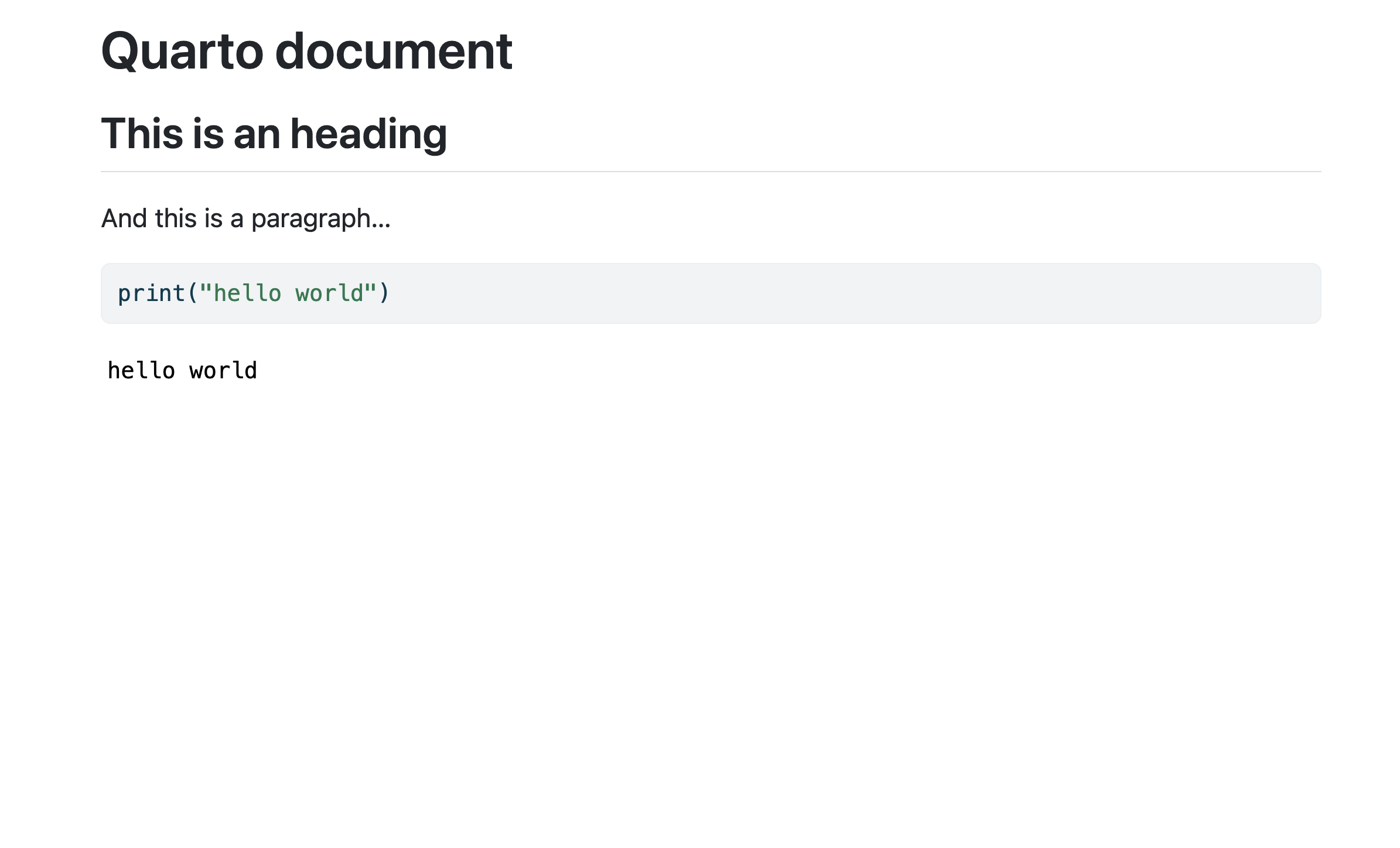
---
title: Quarto document
format: html
---

## This is a heading

And this is a paragraph...

```{python}
print("hello world")
```
You can then use the Quarto CLI to render this file to an HTML document:
This command creates file.html:
Core features
Quarto is especially useful for three main reasons:
Write once in a single source format (Markdown + code), then export to multiple output formats (HTML, PDF, Word, Markdown).

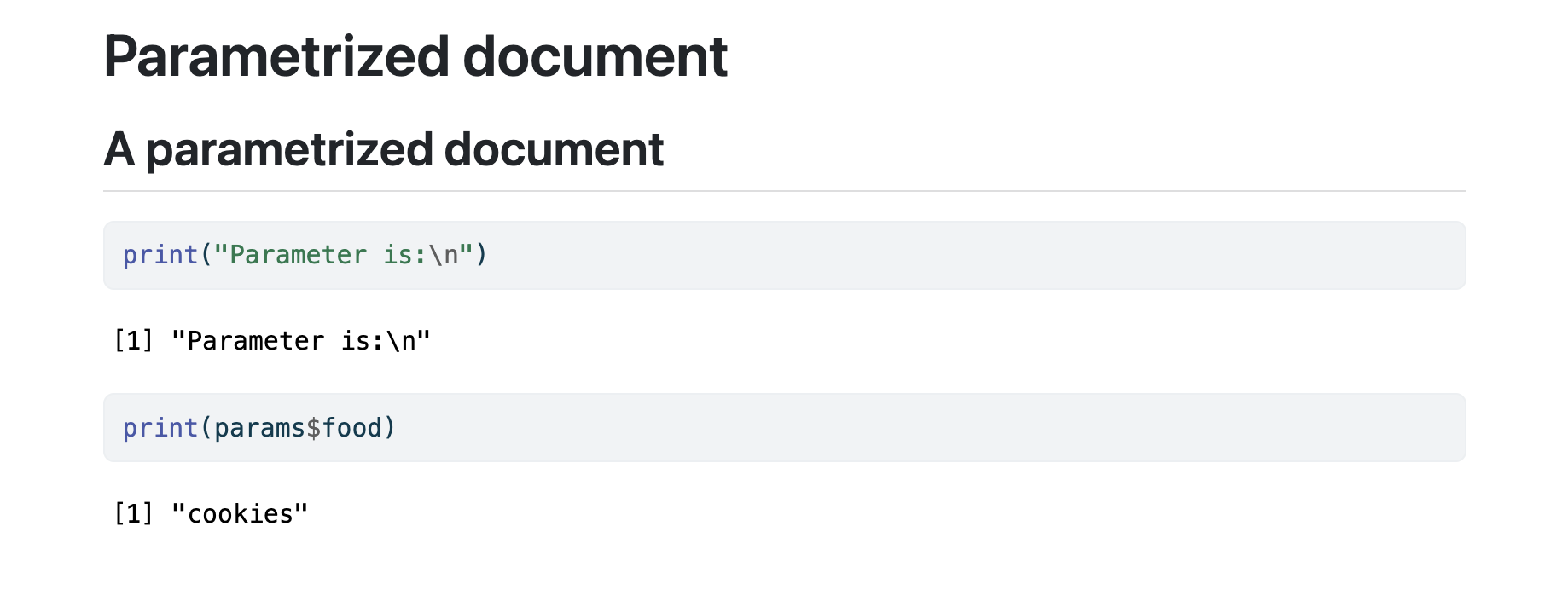
Quarto documents can be parameterized. For example, your file can define a parameter (such as a country) and reuse it in code. This lets you maintain one document and render many variants (for example, one per country).
---
title: Parameterized document
params:
  food: cookies
---

## A parameterized document

```{r}
print("Parameter is:\n")
print(params$food)
```
Quarto also provides extensive support for styling, templates, extensions, and interactivity. Its community is large and active. To explore more, visit the official website.
Quarto and Typst
When the YAML front matter contains format: typst, Quarto uses Typst as the PDF backend instead of LaTeX.
The render pipeline has three stages:
- Your
.qmdfile runs the computation engine (knitr for R, jupyter with the Python kernel by default for Python, or the native Julia engine), producing a plain Markdown file with figures, tables, and computed values already inlined. - Pandoc converts that Markdown into a
.typsource file, using a small set of Quarto-provided Typst partials (typst-template.typ,typst-show.typ,template.typ,page.typ,definitions.typ,numbering.typ,notes.typ,biblio.typ). - Typst compiles the
.typfile into the final PDF.
You will meet those partial filenames again in Custom Typst format, where we replace them with our own.
Here is the smallest possible Quarto document that targets Typst:
Render it with:
How data flows from code to Typst
Three mechanisms carry values from your code cells into the final Typst PDF. They behave the same way regardless of language.
Warning
The three curly-brace form ```{python} declares an executable cell.
A plain ```python block is a display-only code sample that is never run.
Mixing the two up is the single most common source of "why is my code not running?" in Quarto.
Inline expressions
Inline backticks with a language prefix run an expression and splice its value into prose:
The rendered PDF contains the literal text "The answer is 42." with no trace of the code.
Figures
Any plot emitted by a code cell becomes a Typst figure block.
Use the usual Quarto code cell options inside the cell:
```{python}
#| label: fig-sales
#| fig-cap: Quarterly sales by region.
#| fig-alt: Bar chart comparing quarterly sales across four regions.
#| fig-format: svg
#| fig-dpi: 300

make_sales_plot()
```
Cross-reference the figure with @fig-sales, and Quarto resolves it as a Typst reference in the PDF.
The fig- prefix on the label is what tells Quarto to treat the output as a cross-referenceable figure; tbl- does the same for tables.
Tip
For format: typst, prefer fig-format: svg where your plotting library supports it.
Vector output stays sharp at every zoom level and keeps the PDF small.
Raster fallbacks look fuzzy unless you also raise fig-dpi.
Tables
Tables are a little more nuanced. Some packages produce native Typst code that Quarto drops straight into the document. Others emit HTML, which Quarto processes into a proper Typst table automatically. Either way, the table in the PDF contains real text, not a flat image. Which package does what is language-specific and is covered on each language page.
Parameters
Parameters let you produce many PDFs from a single source by passing different values at render time. Two mechanisms exist, and which one you use depends on the computation engine.
Declare a params: block in the YAML.
Under knitr (R), the values are available as params$region.
Under the native Julia engine, each entry becomes a top-level constant named after its key.
The jupyter engine does not use the YAML params: block.
Instead, tag a code cell as parameters and assign default values inside it.
At render time, Quarto uses papermill to override those values with whatever you pass on the command line.
Both mechanisms share the same command-line override syntax. Render with a different set of values without editing the file:
Note
This is the Quarto-level equivalent of the sys.inputs mechanism shown on the From languages pages. Both give you the same outcome (one source, many PDFs). Quarto's parameters are higher level and integrate with the computation engine, while sys.inputs is lower level and runs without Quarto. Pick based on whether you want the rest of Quarto's machinery or just a direct Typst compile.
Typst knobs from the YAML
A handful of YAML options under format: typst: map directly onto Typst set rules.
Setting them is the fastest way to customise output without touching a single .typ file.
| YAML option | Purpose |
|---|---|
papersize |
Any Typst paper size name, for example a4, us-letter, presentation-16-9. |
margin |
Page margins, with sub-options x, y, top, bottom, left, right. |
mainfont |
The main text font. Typst must be able to find the font locally. |
fontsize |
Base font size, for example 11pt. |
include-in-header |
Path to a .typ file whose contents are inserted into the generated .typ before the body. Useful for custom set rules without building an extension. |
template-partials |
A list of partial filenames that override Quarto's defaults for one document. This is how you tweak typst-show.typ without creating a full extension. |
keep-typ |
When true, keeps the intermediate .typ file next to the PDF after rendering. Useful for inspecting the generated Typst source. |
A concrete example that sets page size, font, and drops in a custom heading colour:
---
title: Styled report
format:
  typst:
    papersize: a4
    mainfont: Inter
    fontsize: 11pt
    include-in-header:
      - text: |
          #show heading.where(level: 1): set text(fill: rgb("#2a9d8f"))
---
Tip
Typst can only use fonts it can find on disk. If you set mainfont to something unusual, install the font locally or bundle it alongside the project and set TYPST_FONT_PATHS accordingly. See Tips & Tricks: Fonts.
Brand.yml
Quarto's _brand.yml file lets you centralise brand colours, typography, and logos in one place and reuse them across formats.
It is supported for format: typst, so the same _brand.yml can drive your website, your slide deck, and your Typst PDFs.
Inside the generated Typst, the brand colours are exposed as a dictionary named brand-color that you can reach from raw Typst blocks or from custom partials.
See the official brand.yml documentation for the complete schema.
Tip
For a worked example of threading _brand.yml colours and fonts, in R (with ggplot2 figures and gt tables) and in Python (with plotnine figures and great_tables tables), see the blog post Brand-aware figures and tables in Quarto + Typst.
When the YAML-level knobs stop being enough, the next step is overriding a partial or shipping your own format extension. That is what Custom Typst format is about.
Pick your language
Now that the concepts are out of the way, pick the language you work in and walk through a full parameterised Typst report end to end:
- Quarto and R with the knitr engine,
ggplot2, andgt. - Quarto and Python with the jupyter engine,
plotnine, andgreat_tables. - Quarto and Julia with QuartoNotebookRunner.jl,
CairoMakie, andSummaryTables.jl.
When you are ready to move beyond the built-in format, head to Custom Typst format.